CityCheers App Tutorial

Two restaurant staff in aprons use a touchscreen checkout, with a manager guiding at a computer in an inset frame; CityCheers App Tutorial banner in blue. Two restaurant staff in aprons use a touchscreen checkout, with a manager guiding at a computer in an inset frame; CityCheers App Tutorial banner in blue.
Introductory panel showing CityCheer branding with the headline 'Meet CityCheers' and a multi-paragraph description about the Super App for hospitality. Introductory panel showing CityCheer branding with the headline 'Meet CityCheers' and a multi-paragraph description about the Super App for hospitality.
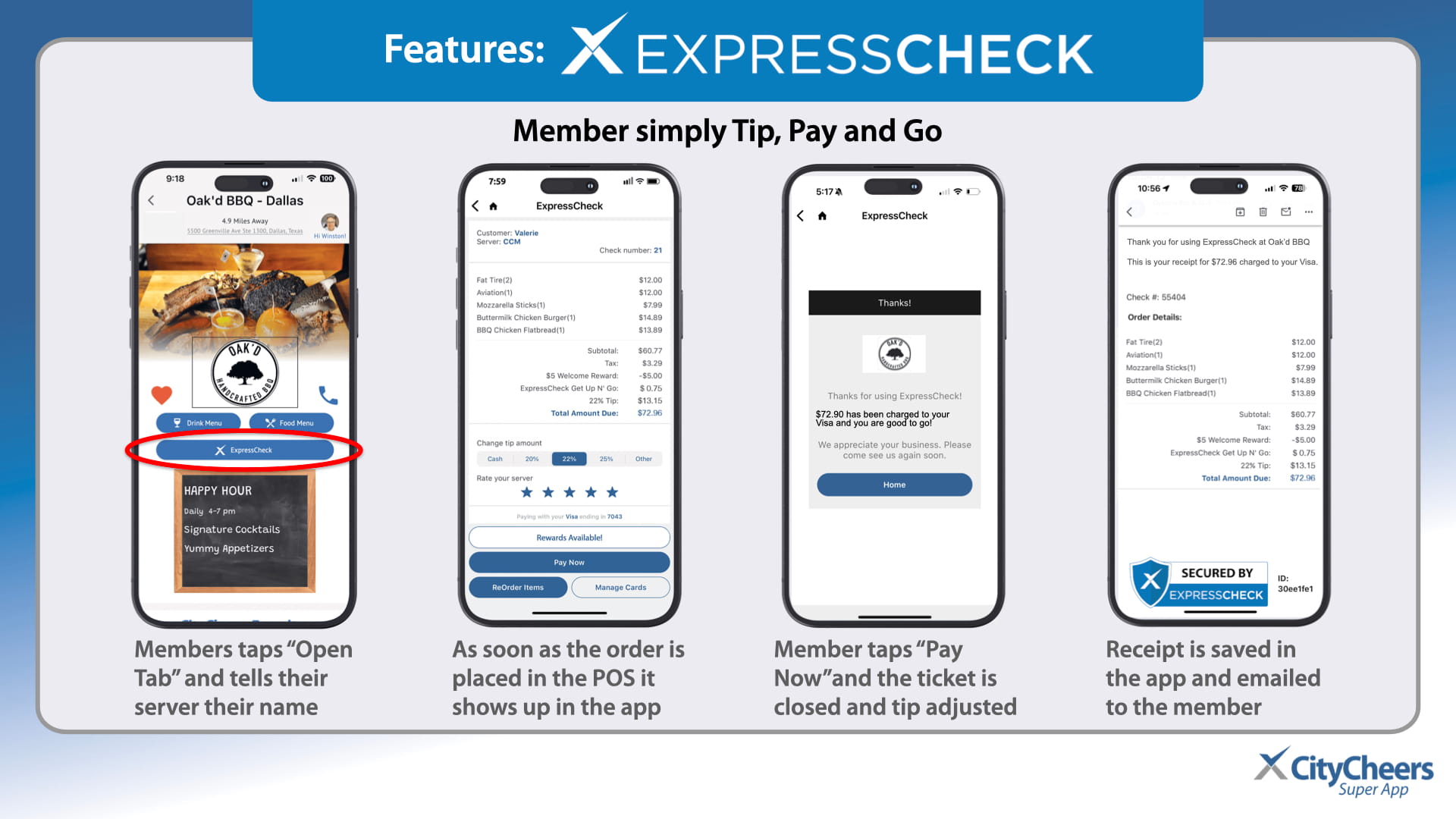
Headline 'Guests simply Tip, Pay and Go' above a row of four iPhone screens showing a tipping and payment flow in an ExpressCheck/CityCheer app; user guidance implied across the sequence. Headline 'Guests simply Tip, Pay and Go' above a row of four iPhone screens showing a tipping and payment flow in an ExpressCheck/CityCheer app; user guidance implied across the sequence.
Overview slide of CityCheers Super App: two mobile screens on the left and CityCheers Connect dashboard on blue background on the right. Overview slide of CityCheers Super App: two mobile screens on the left and CityCheers Connect dashboard on blue background on the right.
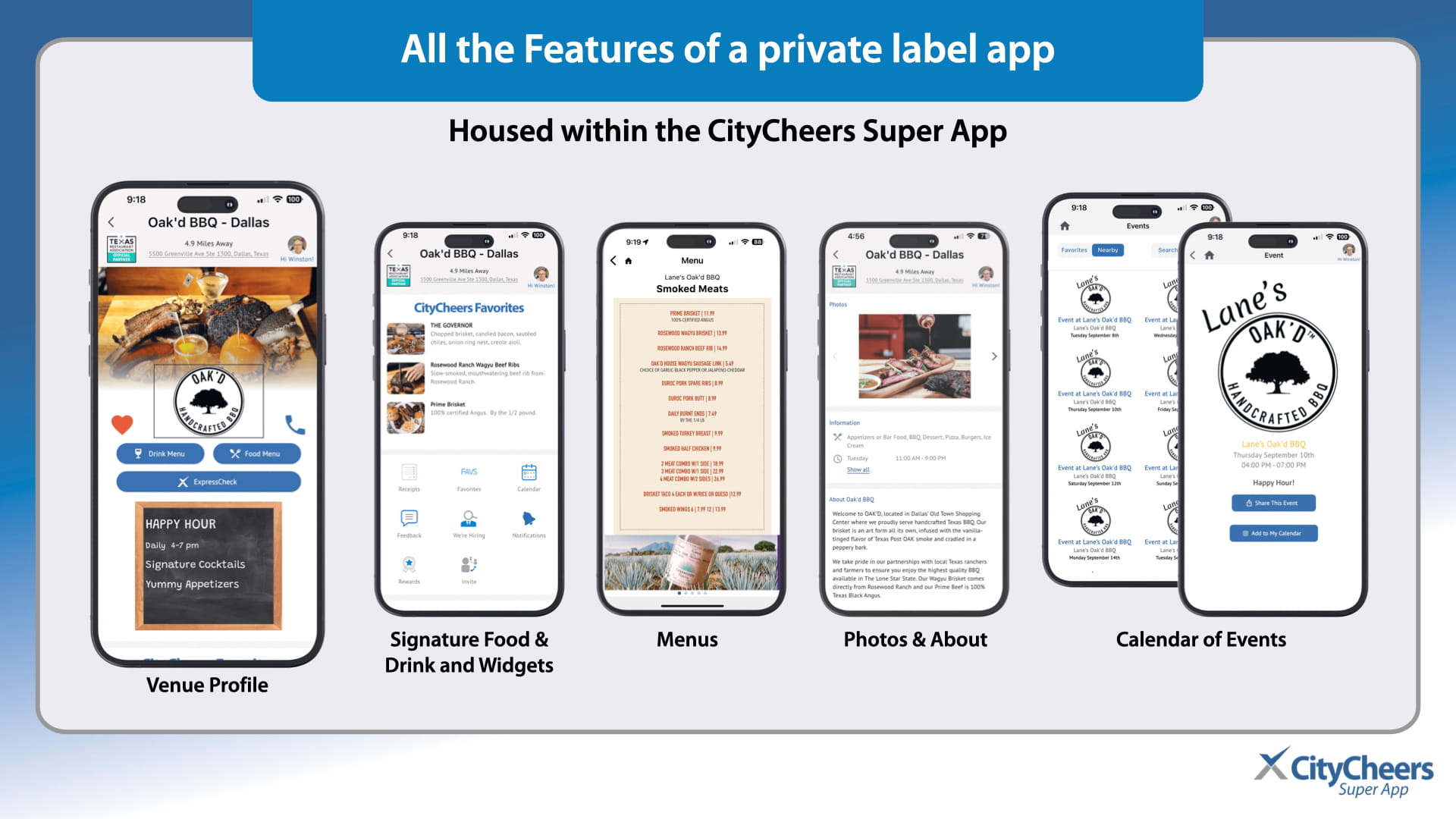
Infographic showing five iPhone screens with CityCheerrs app features: Menus, Photos & About, Calendar of Events, and Widgets. Infographic showing five iPhone screens with CityCheerrs app features: Menus, Photos & About, Calendar of Events, and Widgets.
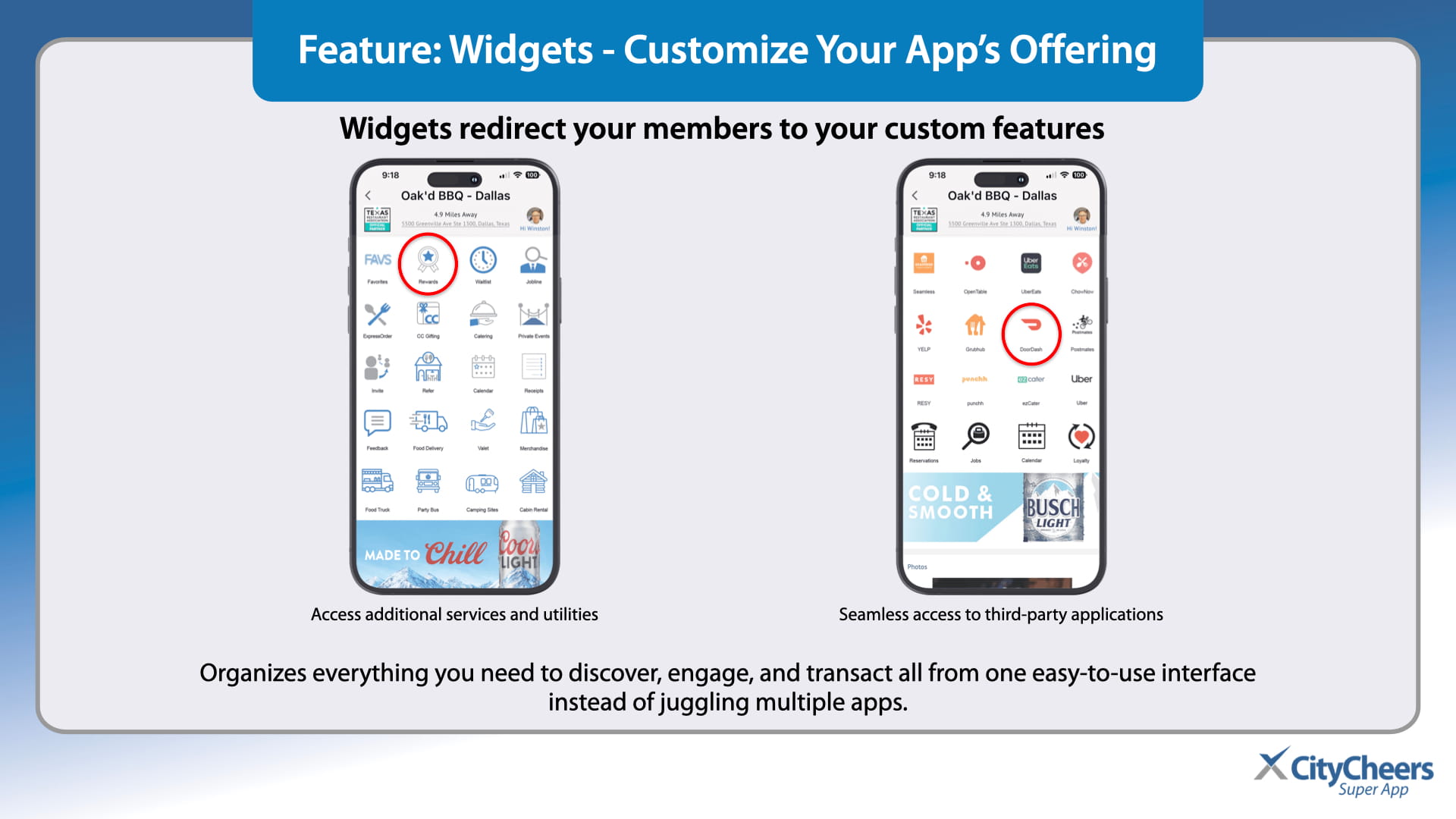
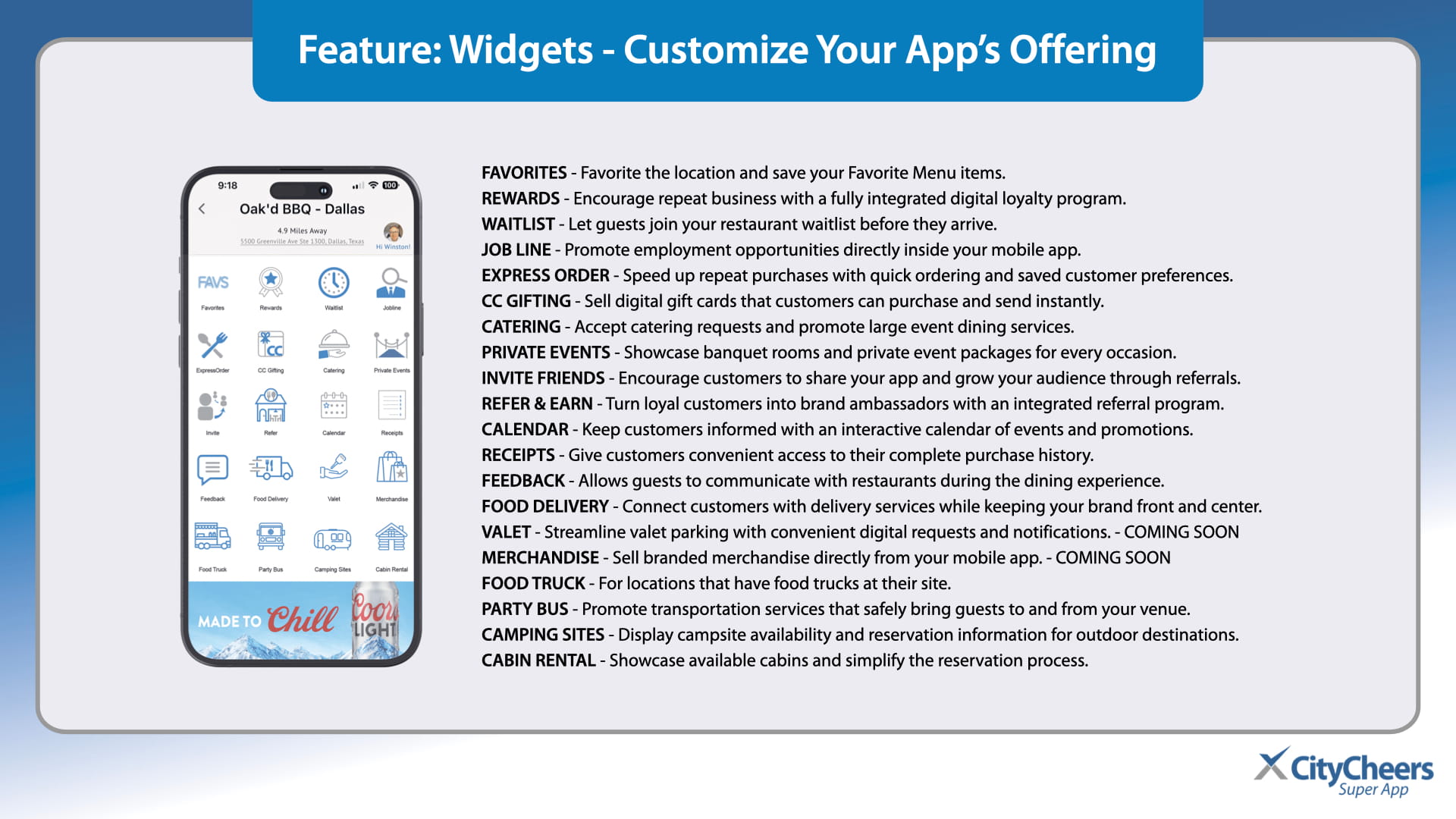
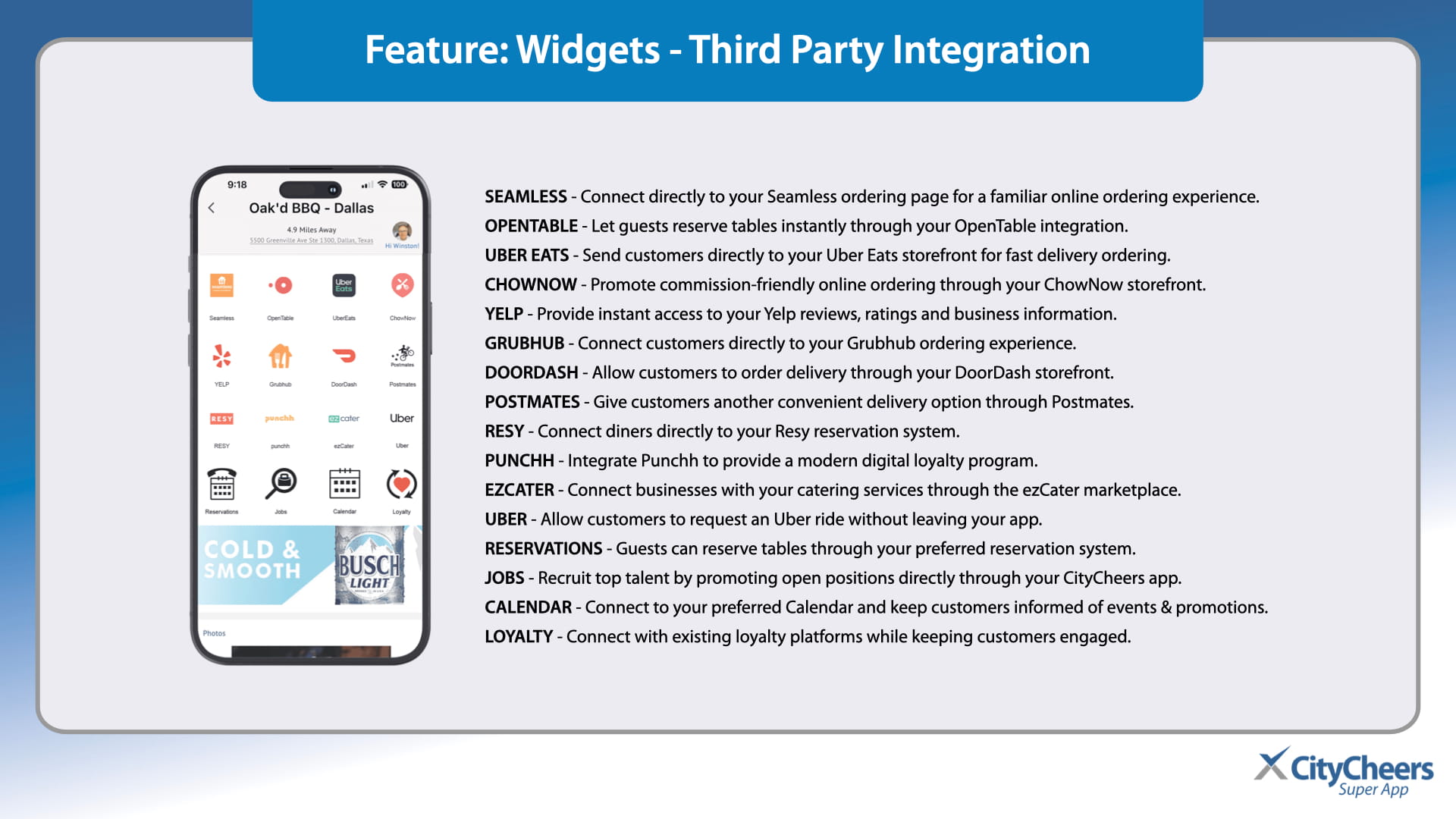
Infographic showing two widget icon grids and headings about customizing app offerings and redirecting guests to features Infographic showing two widget icon grids and headings about customizing app offerings and redirecting guests to features
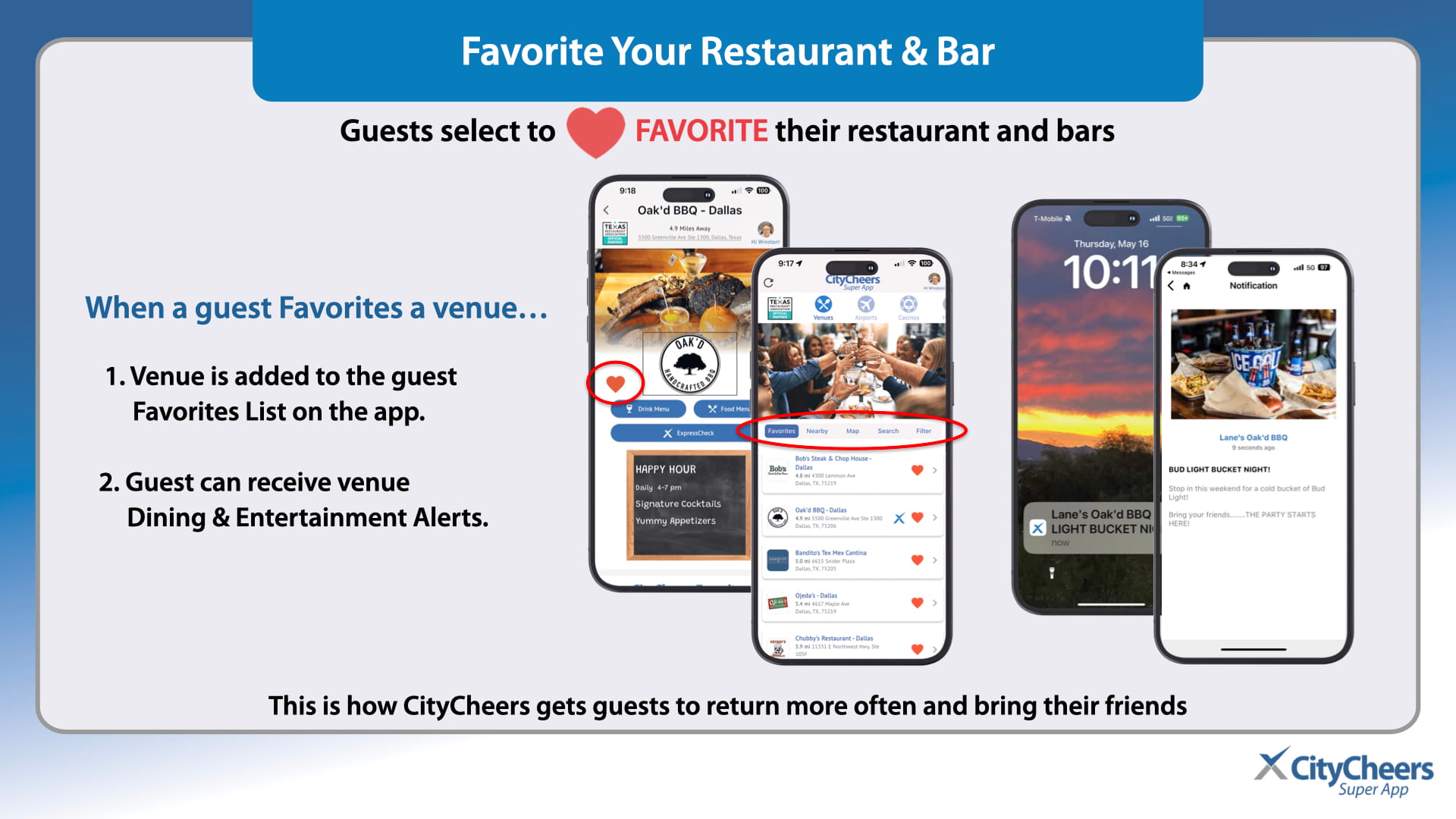
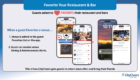
Slide describing how guests favorite a venue in CityCheer’s app, with multiple smartphones showing the Favorites feature and a list of restaurant cards on screen, plus a large blue header that reads Purpose & Function. Slide describing how guests favorite a venue in CityCheer’s app, with multiple smartphones showing the Favorites feature and a list of restaurant cards on screen, plus a large blue header that reads Purpose & Function.
Illustration of CityCheerrs Connect Portal UI shown on a tablet and a smartphone, with multiple rounded feature tiles for managing broadcasts and content. Illustration of CityCheerrs Connect Portal UI shown on a tablet and a smartphone, with multiple rounded feature tiles for managing broadcasts and content.
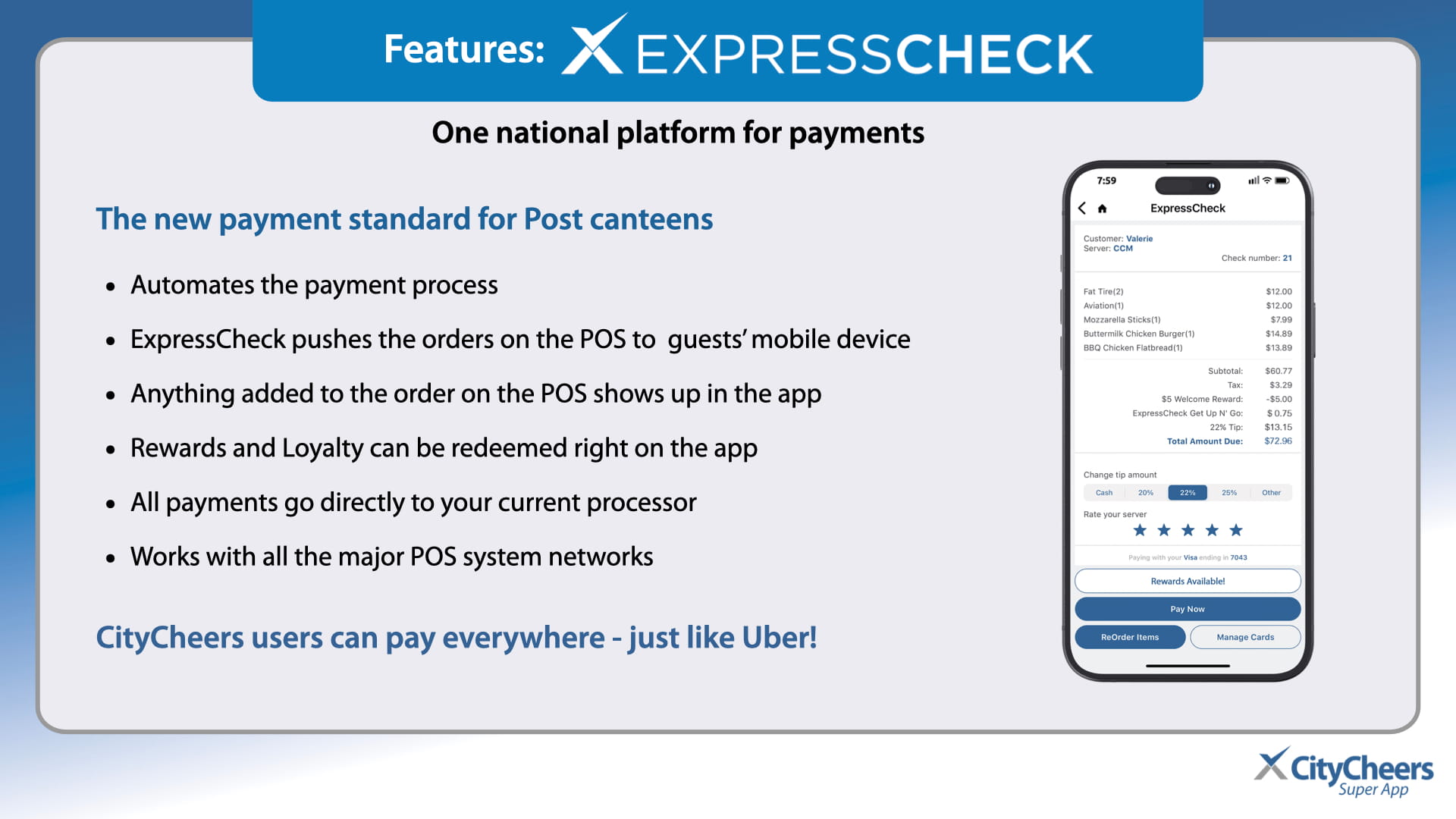
ExpressCheck payment technology slide with platform headline and bullet features about automating payments and mobile order updates, plus a smartphone receipt on the right. ExpressCheck payment technology slide with platform headline and bullet features about automating payments and mobile order updates, plus a smartphone receipt on the right.
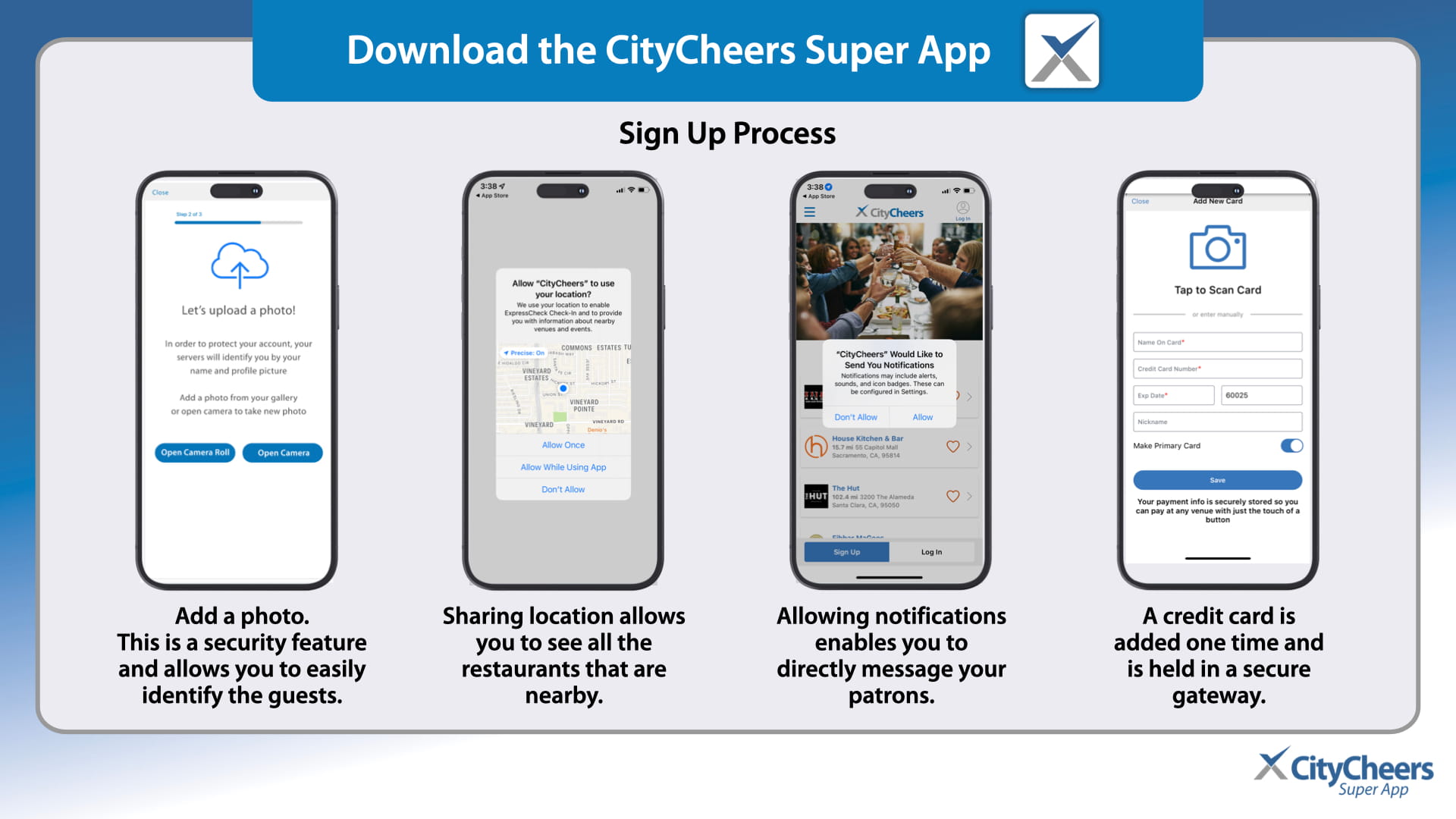
Infographic showing CityCheers sign-up flow with four phones illustrating: upload a photo, share location, enable notifications, and add a credit card. Infographic showing CityCheers sign-up flow with four phones illustrating: upload a photo, share location, enable notifications, and add a credit card.
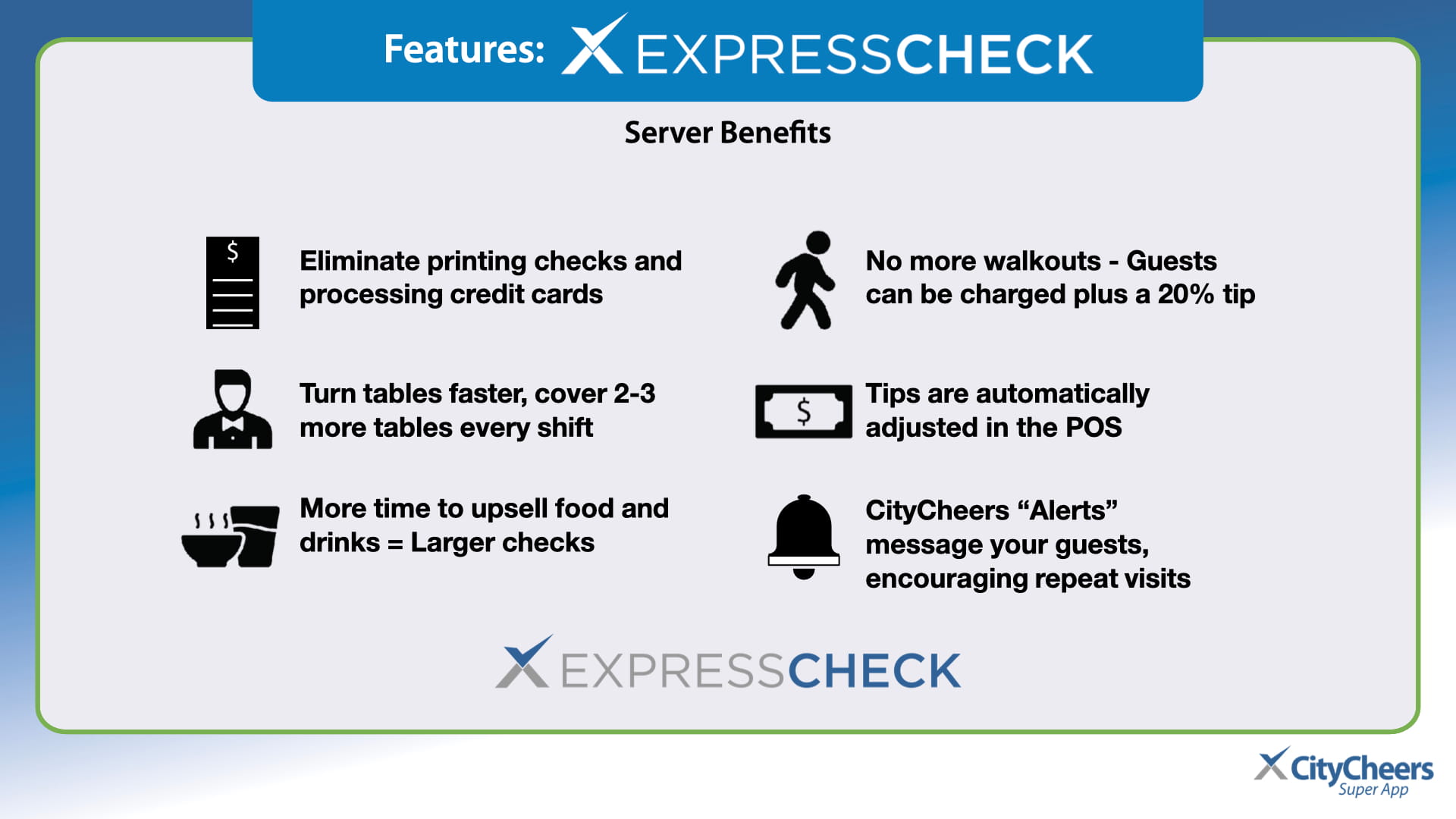
Infographic titled ExpressCheck Server Benefits showing six server-benefit items with icons and logos. Infographic titled ExpressCheck Server Benefits showing six server-benefit items with icons and logos.
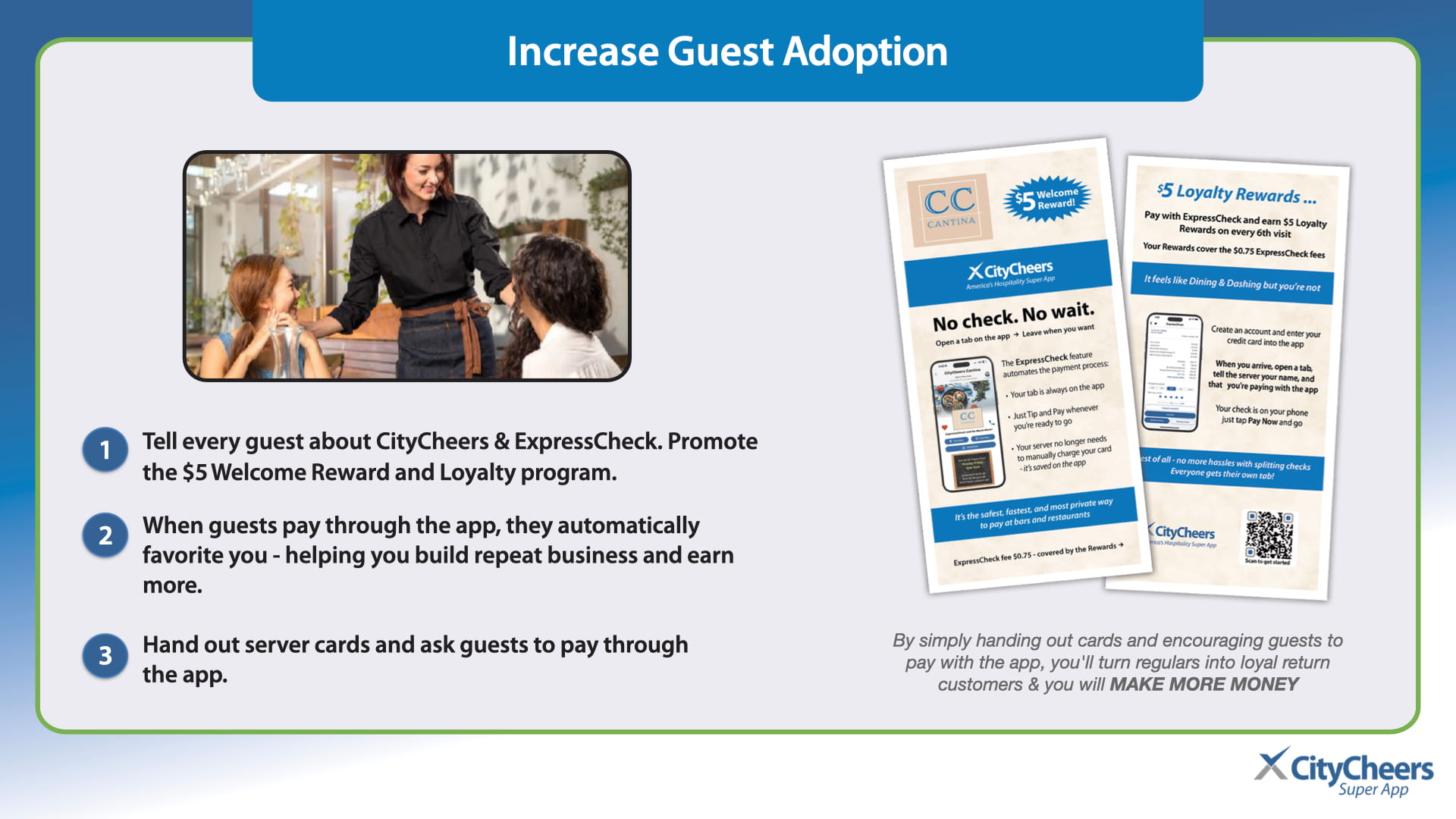
Restaurant staff assisting guests at a table with framed rounded photo on left and promo flyers on right, about increasing guest adoption. Restaurant staff assisting guests at a table with framed rounded photo on left and promo flyers on right, about increasing guest adoption.
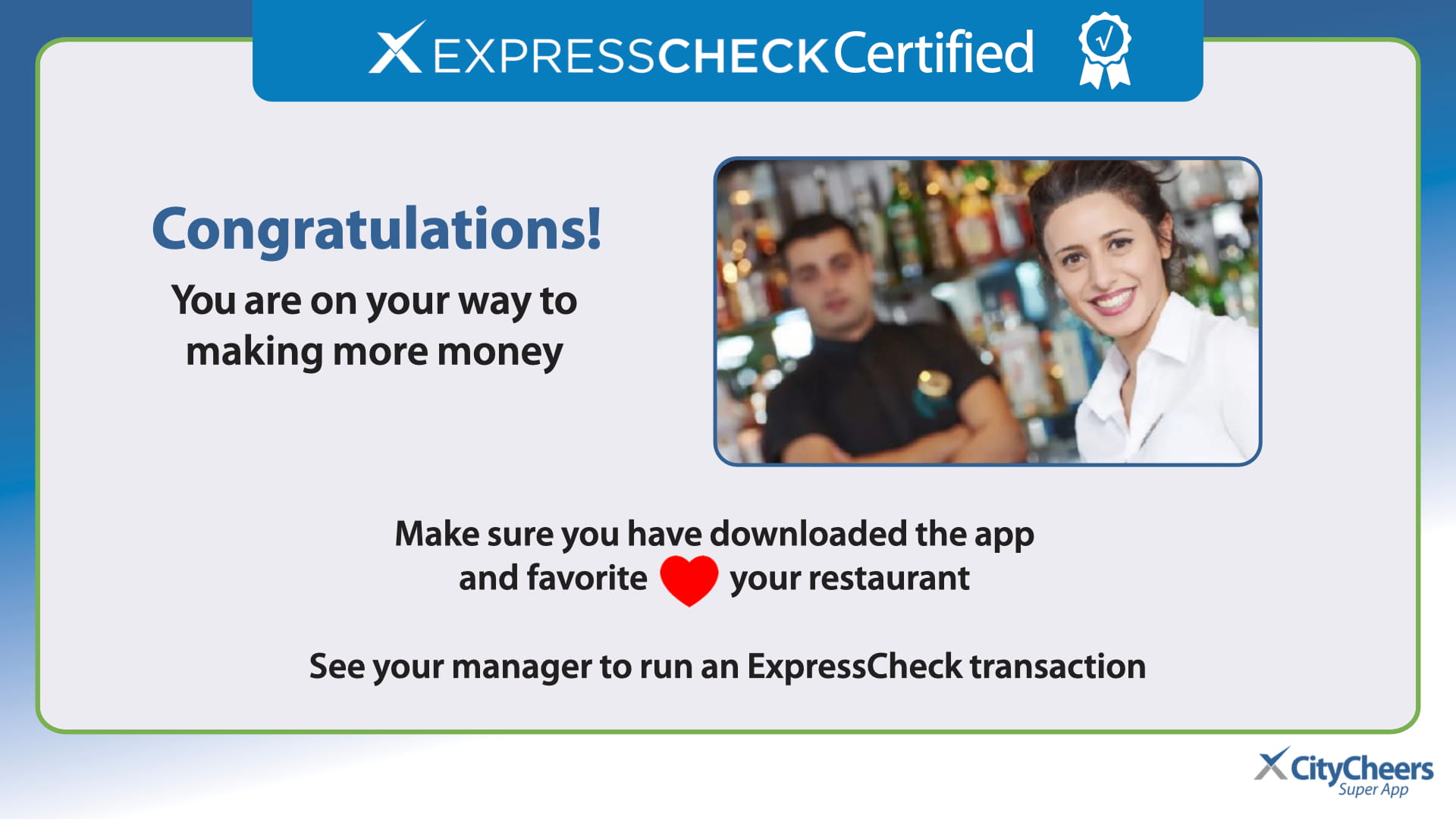
Congratulatory banner for ExpressCheck Certified with a smiling bartender photo and the message about making more money. Congratulatory banner for ExpressCheck Certified with a smiling bartender photo and the message about making more money.
Support & Information slide with the technical help line (669) 221-1971 and CityCheers Customer Success contact: connect@citycheers.net, (408) 831-6500. Support & Information slide with the technical help line (669) 221-1971 and CityCheers Customer Success contact: connect@citycheers.net, (408) 831-6500.